Authentication
Your code calls the API with a project's API token. A project's admins make them in the project's Settings → API tokens: give it a name (what it's for, say "CI uploads"), a role, and how long it lasts.
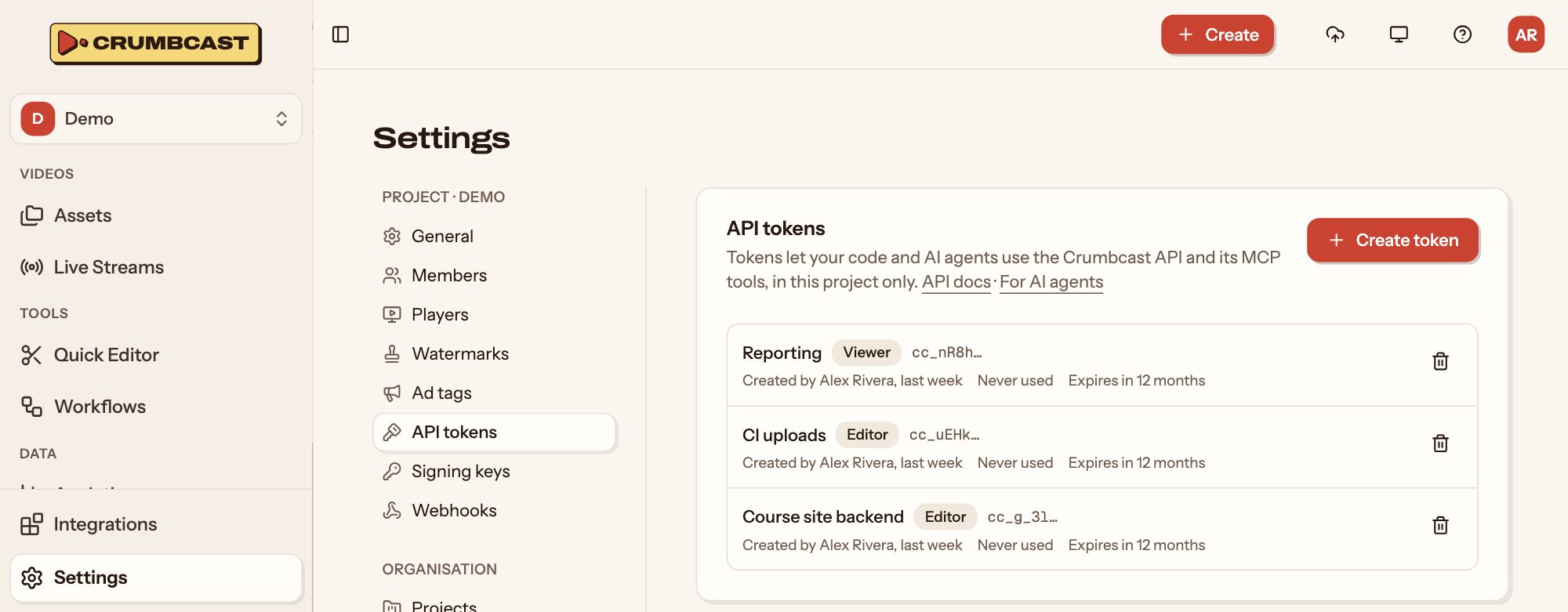
The token (cc_…) is shown once, when it's made. Keep it on your servers, like a password:
never in a web page or an app your users download.
Send it with every request:
curl https://your-crumbcast/api/v1/projects/ \
  -H "Authorization: Bearer cc_…"
What a token may do
A token acts as the member who made it, in its own project only:
- Its role, at most its maker's. It has the lower of the role it was made with and the role its maker has in the project now.
- Its project only. Another project's videos answer
404, as if they weren't there. - Not the project itself. A token can't change or delete the project, manage its
members or its API tokens, nor reach your account, organisation, storages or billing.
Those answer
403, and aren't in the reference.
| Role | May |
|---|---|
viewer | Read videos, live streams, folders, labels, workflows and analytics |
editor | Also upload, import, edit and delete videos, manage folders, labels and workflows, and run live streams |
admin | Also manage signing keys, players, watermarks, webhooks and connected channels |
Access and permissions has more on roles, and on who may watch.
When it stops working
A token is refused with 401 once:
- it expires (if it was made to);
- an admin revokes it in the project's settings;
- its maker leaves the project, or their account is deleted or turned off.
Make tokens for what uses them (one for your CI, one for your backend) so you can revoke one without stopping the others.