Editor
Cut clips, trim the ends and merge videos into one, without uploading anything again.
Scroll, click or press a key to switch on
What's included
- Clips from any part of a videoPick a start and an end, and the clip becomes a video of its own.
- Trims at the start and endCut off a slow start or a long goodbye.
- Videos merged into oneJoin parts of several videos end to end, such as an intro, the main video and an outro.
- Nothing uploaded againEvery edit is made from what's already stored, so you never upload a file twice.
From long video to right cut
Open a video
Any ready video of the project opens in the Quick Editor.
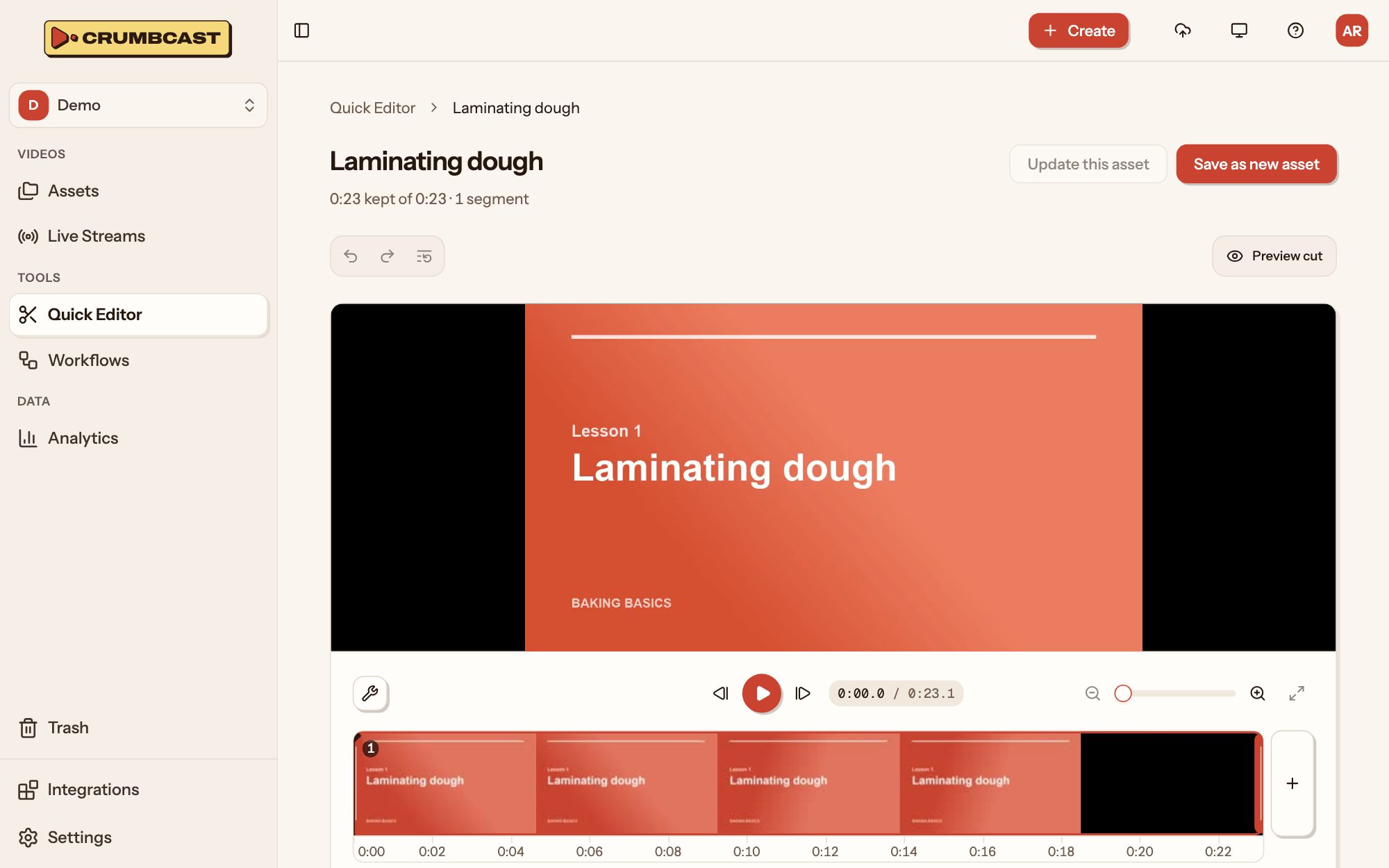
Keep the parts you want
Mark them on the timeline, and turn or crop the picture if you like.
Clip it or trim it
A clip is a new video and leaves the original alone. A trim cuts the video itself.
The specifics
- Parts in a cut
- Up to 50
- Shortest part
- Half a second
- Turn
- 90, 180 or 270 degrees
- Crop
- Any area of the picture
- Merge
- Parts of the project's other ready videos
- A trim keeps
- Chapters, captions and thumbnail, moved with the cut
# Keep 0:10–1:30 and 2:00–2:45, as a new videocurl https://your-crumbcast/api/v1/videos/$VIDEO_ID/clips/ \ -H "Authorization: Bearer $CRUMBCAST_TOKEN" \ -H "Content-Type: application/json" \ -d '{ "title": "Launch day, the highlights", "ranges": [ {"start": 10, "end": 90}, {"start": 120, "end": 165} ] }'On every plan
All of it comes with every plan, Free included.
Who it's for
Events and webinars
Conferences, town halls and webinars: live on every screen, simulcast where your audience is, and the recording right after.Marketing and product teams
Demos, launch videos and webinars on your own pages, in your brand, leading viewers to the next step.Churches and communities
Services, talks and gatherings live for whoever can't be in the room, run by volunteers and kept for the week after.
Questions
What's the difference between a clip and a trim?
A clip makes a new video and leaves the original as it was. A trim changes the video itself, and what's cut away is gone.
Does a video stop playing while it's trimmed?
No. It plays as it was until the cut is made, and it's then encoded again.
Can I edit a video that's still encoding?
Not with a trim. The dashboard and the API say why, and it's possible again once encoding ends.
More products
Your first video is one drop away
Start on the Free plan, and move up when you need more.
Free includes 120 stored minutes and is never billed.