Live streaming
Go live over RTMP, SRT or from the browser, simulcast to YouTube and Twitch, and keep a recording of every broadcast.
What's included
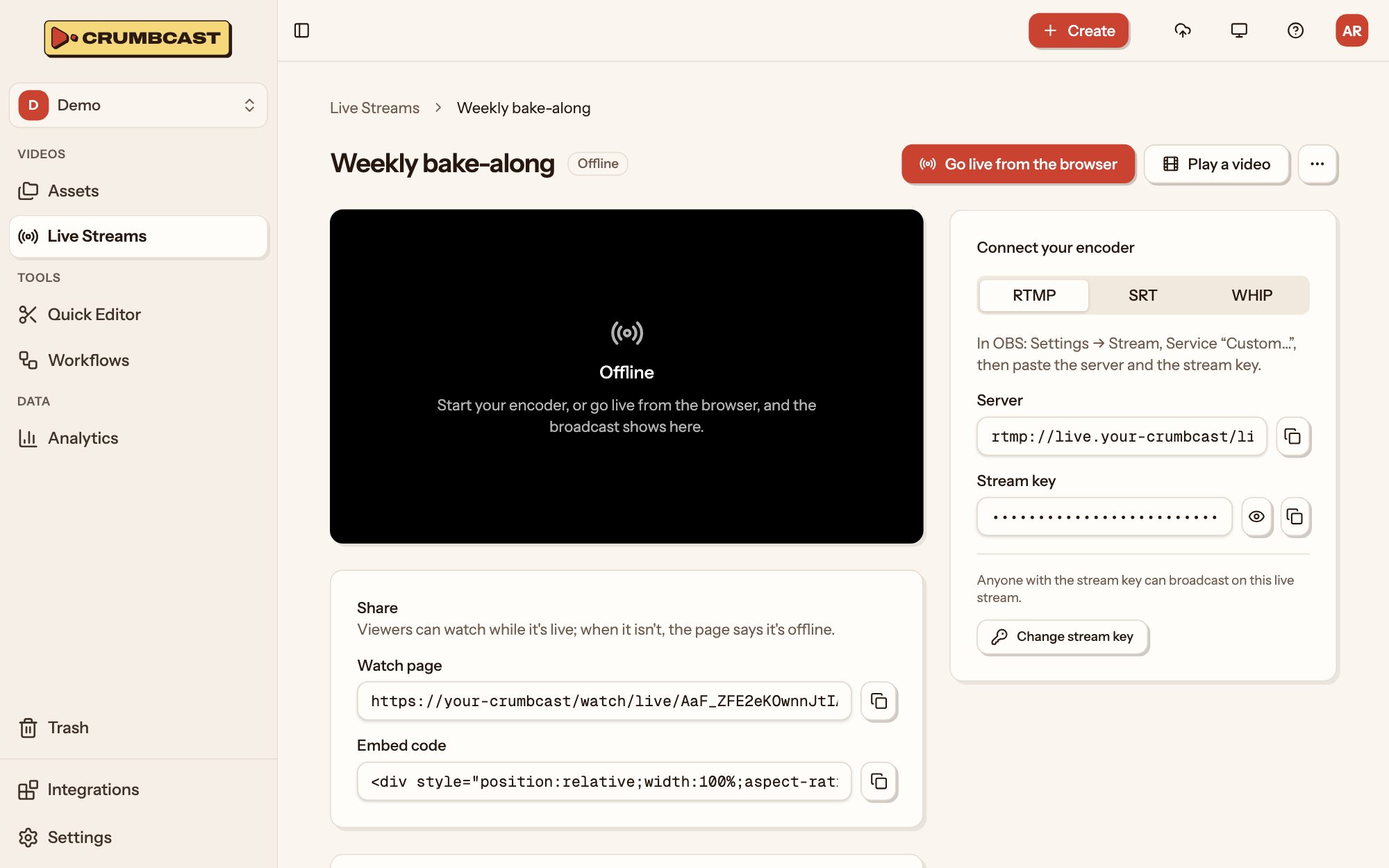
- RTMP and SRTStream from OBS or any encoder, over RTMP, or over SRT when the network is unreliable.
- Live from the browserGo live from a webcam or a shared screen, with no software to install.
- Low-latency HLSViewers are about three seconds behind, close enough to talk with them as it happens.
- Scheduled playoutsPlay a recorded video as a live broadcast, starting at the time you set.
- A recording of every broadcastEach broadcast is kept as a video, ready to watch again, clip or share.
- Simulcasting to YouTube, Twitch and any RTMP serverSend each broadcast on to up to five places at once, and count the viewers there with your own.
From camera to recording
Make a live stream
It keeps its stream key, watch page and player from one broadcast to the next.
Go on air
Push from OBS or any encoder, or start in the browser. Waiting pages start playing by themselves.
Keep the recording
When the broadcast ends it becomes a video of the project, ready to cut and caption.
The specifics
- Ingest
- RTMP, SRT and WHIP
- Behind the encoder
- About 3 seconds with LL-HLS, or 8 with standard segments
- A dropped encoder
- Back within 30 seconds, the same broadcast carries on
- Simulcast
- Up to 5 places for each live stream
- Scheduled videos
- Up to 50 for each live stream
- Zoom
- Meetings and webinars, from a connected account
import { Crumbcast } from "crumbcast"; const crumbcast = new Crumbcast({ token: process.env.CRUMBCAST_TOKEN, baseUrl: "https://your-crumbcast",}); const stream = await crumbcast.live.createLiveStream({ project_id: projectId, liveStreamCreateRequest: { title: "Weekly show", latency: "low", },}); // Where the encoder pushes to: OBS's server and keyconst { rtmp_url, stream_key } = stream.ingest; // And where viewers watch, the same every broadcastconst embed = `https://your-crumbcast/embed/live/${stream.id}`;On Free and on Pro
Start on Free, and move up when you need what it doesn't have. From $10 a month, plus what you use.
| What changes | Free | Pro |
|---|---|---|
| Live streams at once | 1 | No limit |
| Longest broadcast | 10 minutes | No limit |
| Low latency | Not included | Included |
| Simulcast | Not included | No limit |
| Vimeo, YouTube, Twitch and Zoom | Not included | Included |
Who it's for
Media and publishers
A video library for your newsroom or channel, embedded in every article and measured to the second.Events and webinars
Conferences, town halls and webinars: live on every screen, simulcast where your audience is, and the recording right after.Creators and memberships
Workshops, classes and members-only lives on your own site, for those who've paid, each copy traceable to its viewer.Churches and communities
Services, talks and gatherings live for whoever can't be in the room, run by volunteers and kept for the week after.
Questions
Is airtime charged by the hour?
Past what the plan includes, yes: Pro and Business include 2 hours a month, then bill each hour live. What viewers watch is delivery, billed by the gigabyte.
Can a live stream use low latency and encryption together?
No. AES-128 needs standard latency, about 8 seconds behind the encoder.
Which videos can be played live?
Any ready video of the project, unless it's signed, encrypted or forensically watermarked. It isn't recorded again, since the video already exists.
More products
Your first video is one drop away
Start on the Free plan, and move up when you need more.
Free includes 120 stored minutes and is never billed.