Live streaming
A live stream is a lasting place to broadcast to: its ingest URLs and stream key, its watch page and player stay the same from one broadcast to the next. Each time an encoder pushes to it is a broadcast, which becomes a video of the project when it ends.
Live streams take an editor token. Every plan has live streaming, within its limits: how
many broadcasts at once, how many hours a period, and on Free each broadcast ends after 10
minutes. On Sandbox it ends after 15 seconds, enough to check your encoder's settings.
1. Create a live stream
curl https://your-crumbcast/api/v1/projects/$PROJECT_ID/live-streams/ \
  -H "Authorization: Bearer $CRUMBCAST_TOKEN" \
  -H "Content-Type: application/json" \
  -d '{"title": "Weekly show", "latency": "low"}'
| Field | |
|---|---|
title | Its name, on its watch page too |
record | Whether each broadcast becomes a video once it ends; true unless you say |
playback_policy | public, signed or password, as for videos |
protection | clear, or aes: each segment encrypted with AES-128 |
latency | standard: about 8 seconds behind the encoder, in 2-second segments; low: about 3, in LL-HLS parts. Not low with aes |
Changes to protection and latency count from its next broadcast on. The answer has
where to push, in ingest:
{
  "id": "5d0e…",
  "title": "Weekly show",
  "state": "idle",
  "ingest": {
    "rtmp_url": "rtmp://live.your-crumbcast/live",
    "srt_url": "srt://live.your-crumbcast:8890?streamid=publish:live/…",
    "whip_url": "https://your-crumbcast/api/v1/live/whip/",
    "stream_key": "…"
  },
  "…": "…"
}
2. Push to it
Any encoder that sends RTMP, SRT or WHIP:
- RTMP (OBS, vMix, Wirecast, hardware encoders):
rtmp_urlas the server andstream_keyas the key, OBS's two fields. - SRT:
srt_url, the key already in it. - WHIP (WebRTC, OBS's WHIP output):
whip_url, with the stream key as its bearer token.
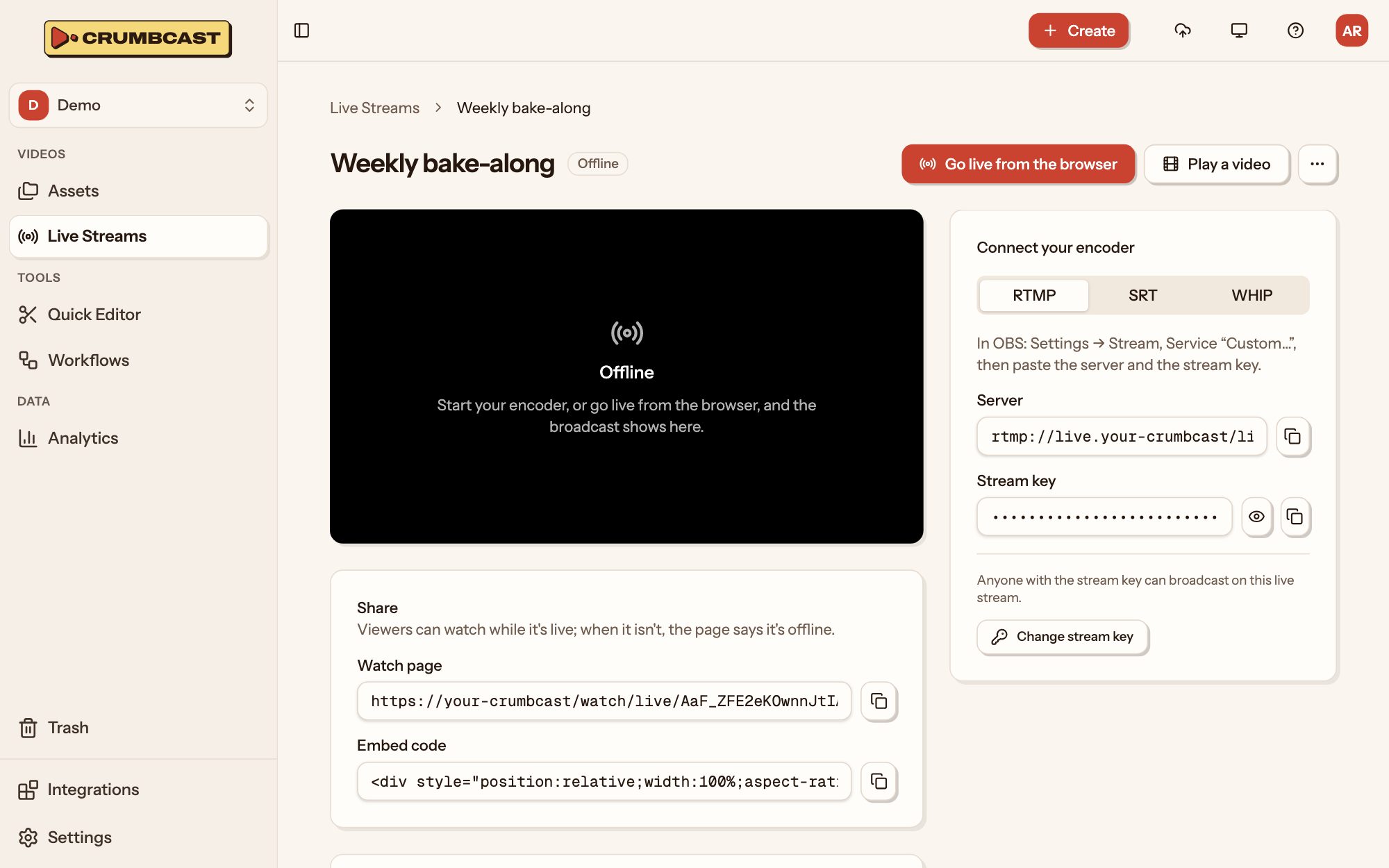
Crumbcast encodes the renditions viewers get from what the encoder sends. Or go live from the browser, with no software at all, on the live stream's page in the dashboard.
The stream key is a password to broadcast with. Roll Stream Key makes a new one; the old one stops working, and a broadcast an encoder is pushing with it ends, so a leaked key can't keep broadcasting. Paste the new key into your encoder to go live again.
3. Hear when it's on
The webhooks say where a broadcast is:
| Event | When |
|---|---|
live_stream.active | It plays for viewers |
live_stream.disconnected | The encoder stopped sending; it waits 30 seconds for it to come back |
live_stream.reconnected | The encoder came back in time: the same broadcast carries on |
live_stream.idle | The broadcast ended; broadcast.recording_id is the video it's recorded into |
Get Live Stream says the same: its state is idle, live
or reconnecting, and broadcast is the one that's on.
4. Play it
| Watch page | https://your-crumbcast/watch/live/<live stream id> |
| Embed | https://your-crumbcast/embed/live/<live stream id> |
| HLS, for a player of your own | https://your-crumbcast/api/v1/live-streams/<live stream id>/master.m3u8 |
The embed takes autoplay, muted and controls as a video's does
(Play videos). Between broadcasts, the watch page and embed say it's offline and wait: they start
playing by themselves once the next broadcast does. A signed live stream's playback tokens name the live stream's ID as their sub
(Signed playback).
Recordings
With record on, a broadcast's top rendition becomes a video of the project when it
ends, encoded as an upload is: it's in live_stream.idle's broadcast.recording_id, and
video.ready follows when it plays. From there it's a video like any other, to
cut, caption or delete.
Simulcasting
Each broadcast can go on to other platforms at the same time: YouTube, Twitch, or any RTMP server.
curl https://your-crumbcast/api/v1/live-streams/$LIVE_STREAM_ID/simulcast/ \
  -H "Authorization: Bearer $CRUMBCAST_TOKEN" \
  -H "Content-Type: application/json" \
  -d '{"name": "Facebook", "url": "rtmps://live-api-s.facebook.com:443/rtmp/", "stream_key": "…"}'
A target counts from the next broadcast on, and can be turned off (enabled) without
deleting it. YouTube and Twitch channels can instead be connected once, in the project's
Settings → Integrations: a target made from a connected channel (connection_id)
reads its server and key from the platform itself, and its viewers are counted in the
broadcast's analytics. How many targets a live stream may have is in its simulcast_max.
Playing a video live
A ready video of the project can be broadcast on a live stream, as if it were pushed from an encoder: to its viewers and its simulcast targets, from the start, until it's played through.
# Now
curl https://your-crumbcast/api/v1/live-streams/$LIVE_STREAM_ID/play/ \
  -H "Authorization: Bearer $CRUMBCAST_TOKEN" \
  -H "Content-Type: application/json" \
  -d "{\"video_id\": \"$VIDEO_ID\"}"

# Or at a time of your choosing
curl https://your-crumbcast/api/v1/live-streams/$LIVE_STREAM_ID/schedule/ \
  -H "Authorization: Bearer $CRUMBCAST_TOKEN" \
  -H "Content-Type: application/json" \
  -d "{\"video_id\": \"$VIDEO_ID\", \"starts_at\": \"2026-11-02T18:00:00Z\"}"
It isn't recorded: the video is already there. A signed, encrypted or forensically
watermarked video can't be played live (400), and nothing else can be on the live stream
meanwhile (409). Stop Playing Video ends it early.
Zoom
A Zoom meeting or webinar can stream into a live stream, from a Zoom account connected in the project's Settings → Integrations: pick the meeting with Set Live Stream Zoom Meeting, then start and stop it with Start Zoom Live Stream.
What may be done now
A live stream's changes say what it may do now (go_live, play, schedule, …), and
refused why not: not_in_plan, no_room (no live node has room now), broadcasting,
and so on. Read them rather than guessing from state.