Ads
Crumbcast plays ads from your own ad server: VAST or VMAP tags, added to a project and picked per video or live stream. Ads play only where the video is embedded on your site, never on Crumbcast's own watch pages.
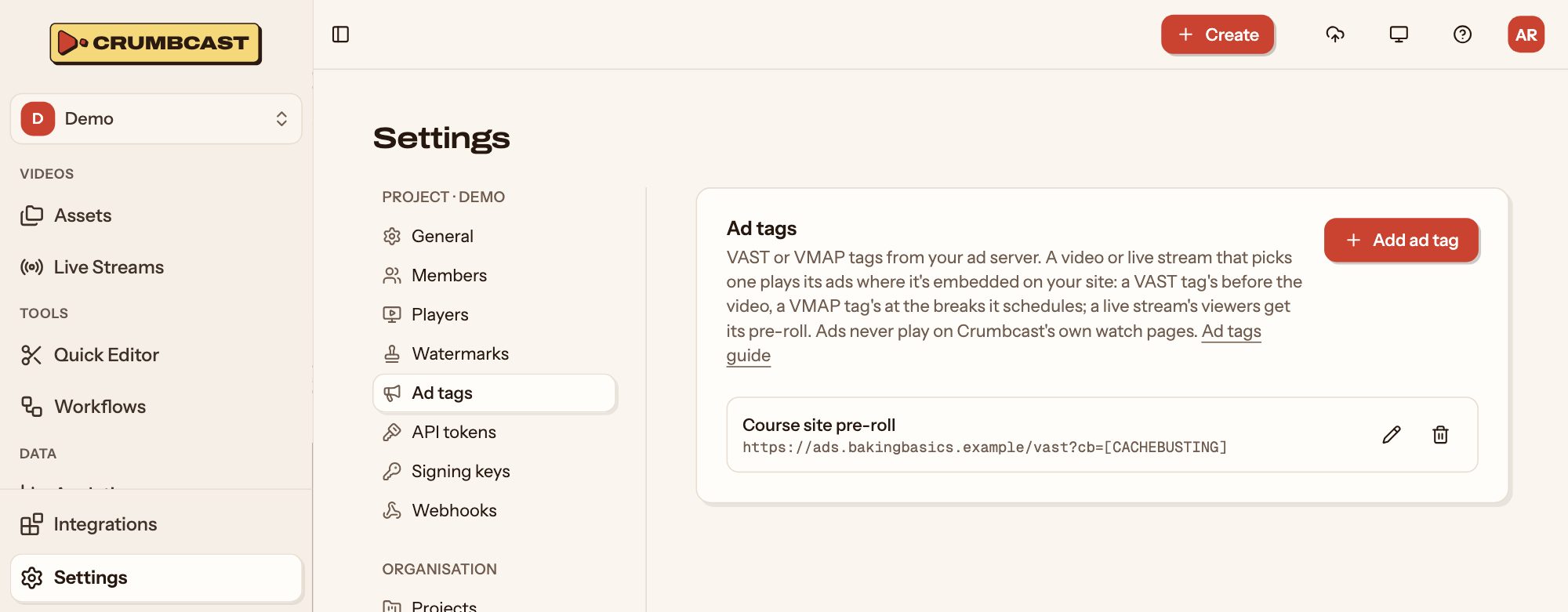
Add an ad tag
Project admins add them in Settings → Ad tags:
- Click Add ad tag.
- Name it, and paste the tag's URL from your ad server, such as
https://ads.example.com/vast?…. - Save it.
Macros like [CACHEBUSTING] and [PAGEURL] in the URL are filled in for each viewing.
Play ads on a video
On the video's Settings tab, pick the tag under Ads. A VAST tag's ads play before the video; a VMAP tag's at the breaks it schedules. No ads turns them off.
On a live stream, pick it under Playback → Ads. Its ad plays before viewers join the broadcast.
A workflow can pick a tag for every new video.
Consent
If your viewers are in the EU, you need their consent for ads that track them. Put a consent platform (IAB TCF v2) on the page that embeds the player, as you would for any ads on it, and the viewer's choice reaches your ads. The ads guide has the details, for whoever runs your site and your ad server.
Deleting a tag stops ads on every video and live stream that picked it.