Captions and chapters
A video's Captions & chapters tab holds both. Captions let viewers read what's said, in the player's captions menu, on the watch page, in embeds and in any player of its stream. Chapters split its timeline into named parts.
Upload captions
- Under Upload a file, pick the captions' Language.
- Click Choose file…, and pick a WebVTT (
.vtt) or SRT (.srt) file of up to 5 MB.
A file replaces the uploaded captions in that language. A video can have captions in as many languages as you like.
Generate them from speech
On every plan but Sandbox, Crumbcast can write down what's said. Generated captions take no AI credits:
- Under Generate from speech, pick the Spoken language, or Detect automatically.
- Click Generate captions.
They're made once the video is encoded; a long video takes a while. They show as Auto-generated, and replace earlier generated captions in that language. A workflow can make them for every new video.
Edit captions
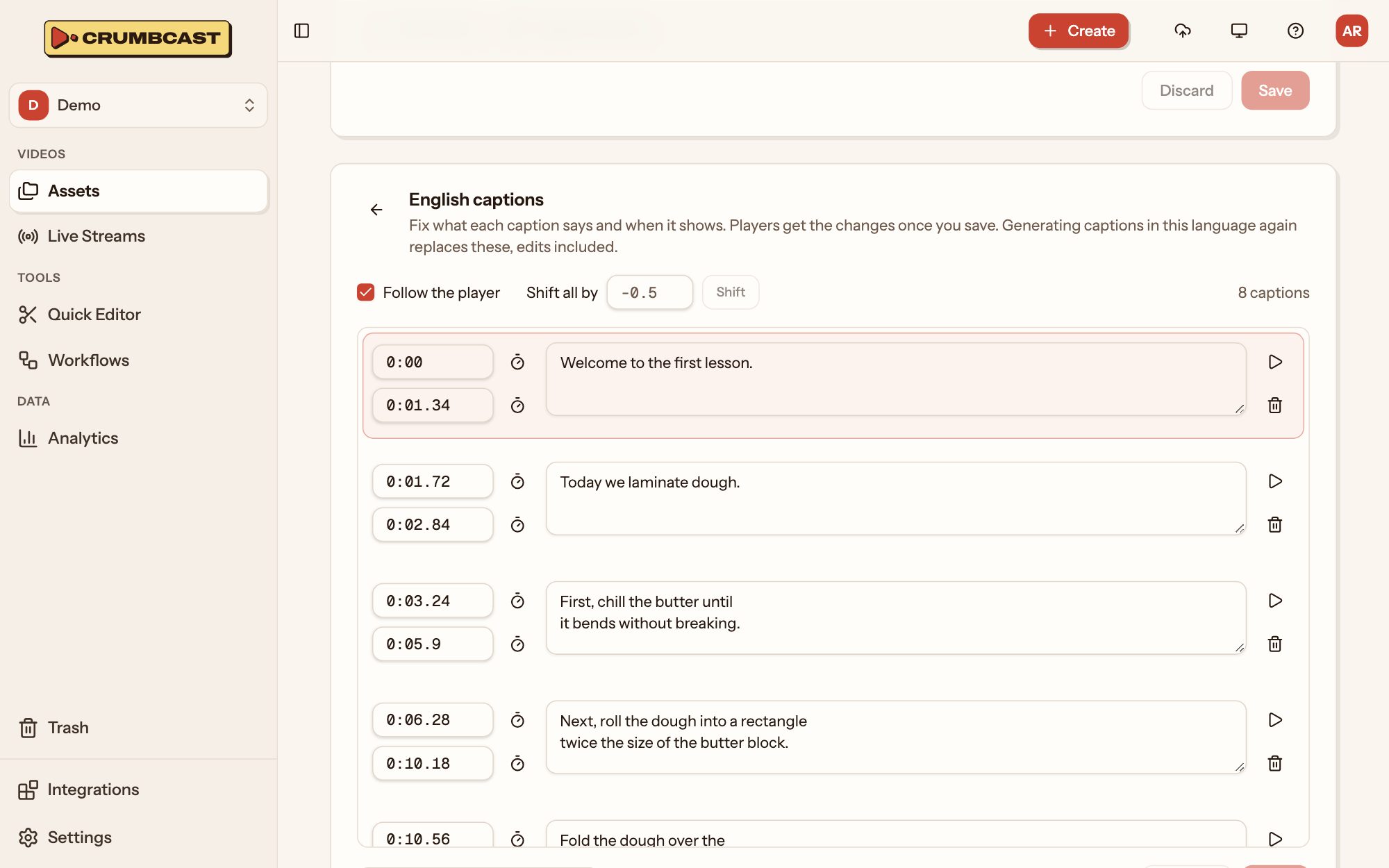
Click a language's pencil to open its captions:
- Fix each caption's text, and when it Shows at and Ends at: type the time, or use the clock beside it to take the player's time.
- Play from here plays the video from a caption.
- Add caption, Merge a caption with the next, or remove one.
- Shift all by a number of seconds when every caption is early or late: negative shows them earlier, positive later.
- Follow the player keeps the caption being spoken in view as it plays.
Click Save, and players get the changes. Generating captions in that language again replaces your edits.
You can also download a language's captions, or remove them, from its row.
Chapters
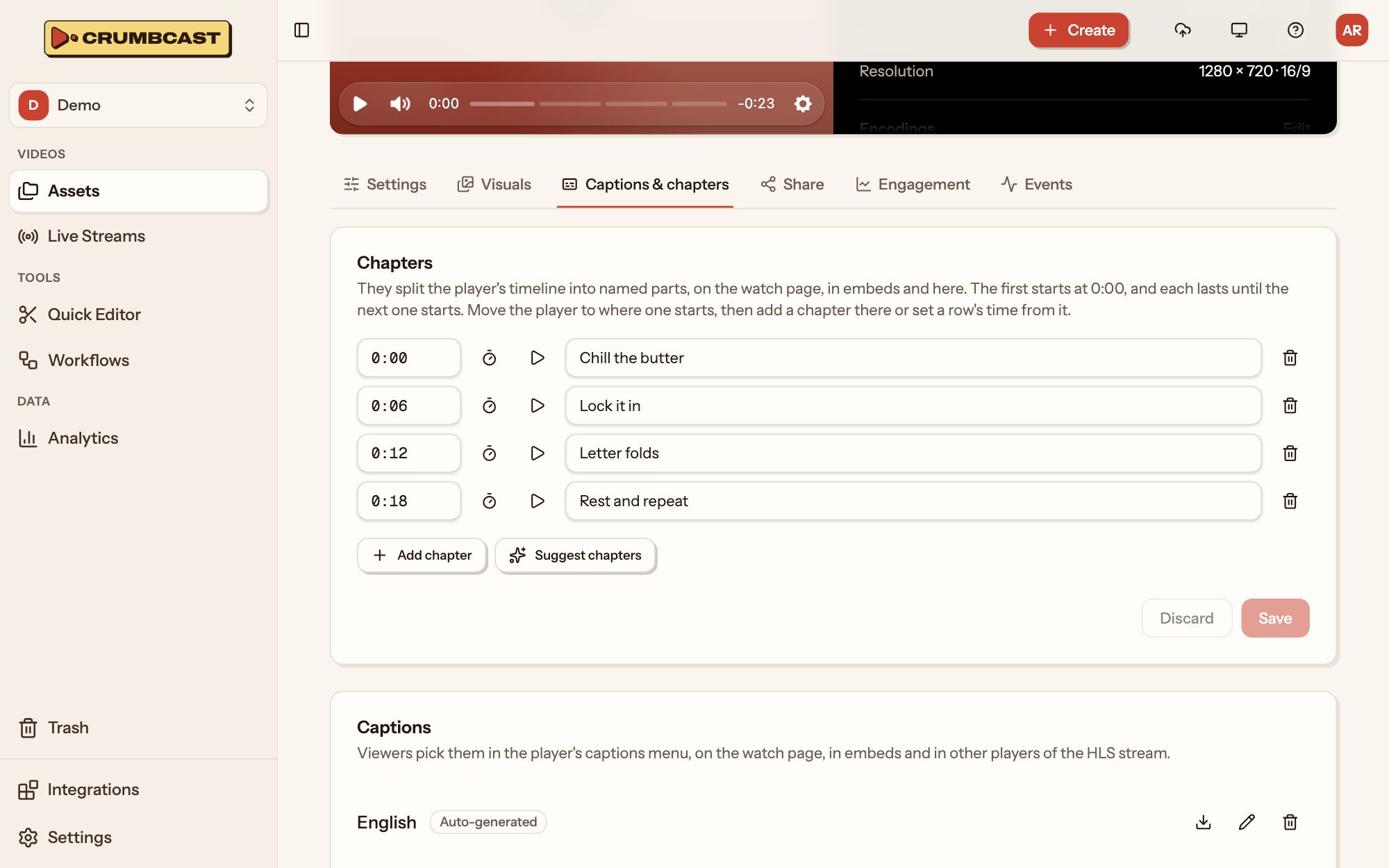
Chapters show as named parts of the player's timeline, on the watch page, in embeds and in the dashboard. The first starts at 0:00, and each lasts until the next.
- Play the video to where a chapter starts.
- Click Add chapter, and give it a title. Its start is the player's time; type another or click the clock to take the player's time again.
- Repeat for each, then click Save.
Suggest chapters reads the video's captions with AI (Claude, by Anthropic) and fills in chapters for you to look over; nothing changes until you save. The video needs captions first. Suggestions are offered where your Crumbcast has them on. Each suggestion takes AI credits from your plan's monthly allowance, once chapters are found; a suggestion that fails takes none. Once Free's are used up, suggestions wait for next month; a paid plan bills past them.