Analytics
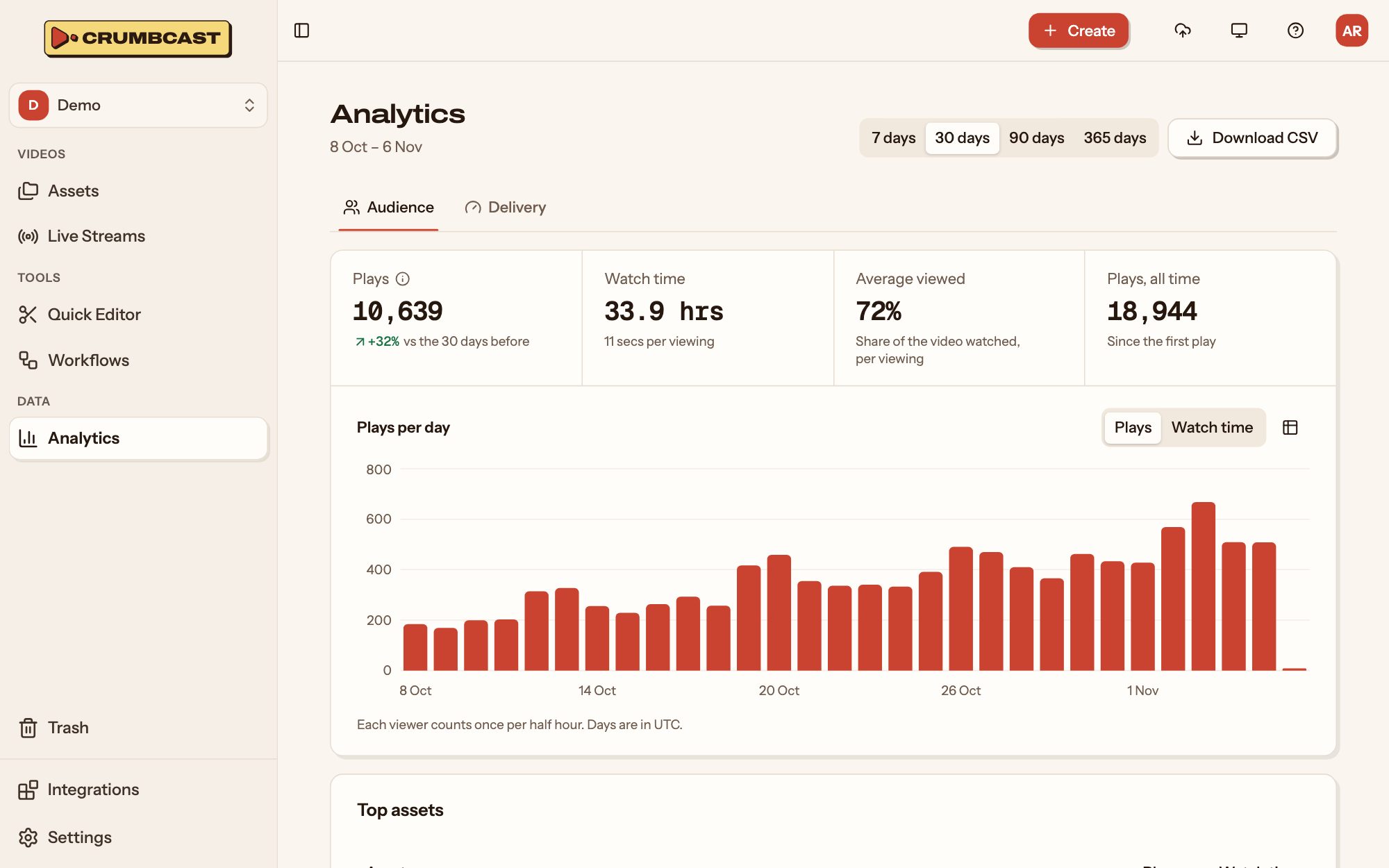
Crumbcast counts what's watched in its player, on watch pages and in embeds: how often,
for how long, by whom, and how well it played. A player of your own, on your pages or in
your apps, can report the same (Players of your own). A viewer
token reads all of it, for a project, a video or a live broadcast.
What's counted
- Views are plays: each time the player starts a video.
- Viewings are a play and the watching that follows it, including watching it again within half an hour.
- Watch time is the seconds actually played, not how long the page was open.
- Days are UTC days.
A project's
curl "https://your-crumbcast/api/v1/projects/$PROJECT_ID/analytics/?days=30" \
  -H "Authorization: Bearer $CRUMBCAST_TOKEN"
days is the period, today included: 30 unless you say, up to 365. The answer has:
| Field | |
|---|---|
views, previous_views | Plays in the period, and in the period as long before it |
watch, embed, custom, app | Of those, on the watch page, in embeds, in players of your own on web pages, and in apps |
all_time | Plays ever |
viewings, watch_seconds, average_view_seconds | Viewings, the seconds watched, and seconds per viewing |
average_viewed | How much of a video a viewing watched, on average (0 to 1) |
per_day | Each day's views and watch_seconds, oldest first |
videos | The videos with the most plays |
domains | The sites with the most plays: embedding the player, or playing in one of their own |
apps | The apps with the most plays, by their bundle or application ID |
A video's
Get Video Analytics answers the same for one video, with its retention in place of the top videos: 100 numbers, the share of viewings that watched each 1% of it, from the start to the end. Where it drops is where viewers stop.
import os

import requests

API = "https://your-crumbcast/api/v1"
headers = {"Authorization": f"Bearer {os.environ['CRUMBCAST_TOKEN']}"}

stats = requests.get(f"{API}/videos/{video_id}/analytics/", params={"days": 90}, headers=headers)
stats.raise_for_status()
retention = stats.json()["retention"]

# The first point at which fewer than half the viewings were still watching
half = next((percent for percent, share in enumerate(retention) if share < 0.5), None)
print(f"Half the viewers are gone by {half}% of the video" if half is not None else "Most watch to the end")
Audience and quality
Get Project Audience and Get Video Audience say who watched and how it played for them:
countries(ISO 3166-1 codes),devices(desktop,mobile,tablet,tv),browsersandsystems: each with its viewings and watch time, most first.referrers: the sites viewings came from, by host name (news.example.com): the page that linked to the watch page, or the one the player is embedded in. An empty name is a viewing opened directly, or from a page that sent no referrer.startup_median_ms,startup_p90_ms: how long from pressing play to the first frame.rebuffering: the share of the time playing that was spent waiting for the stream.renditions: the share of watch time at each height, tallest first.
They're read from each viewing's events, which are kept for 90 days, so their days goes
up to 90; views and watch time are kept by day, for periods up to 365.
Players of your own
A video played in hls.js, Shaka Player, Video.js, AVPlayer, ExoPlayer or any other player (Play videos) is counted once the player reports it, as Crumbcast's own player does: it starts a viewing at the first play, then sends a beat every 15 seconds while playing with what it played. Its plays, watch time, retention, audience and quality then show in the analytics with everyone else's, under their own source.
Report from the viewer's device, never from your server. Crumbcast tells viewers apart, and
finds their country and device, by the request itself: beats sent from a server would all
be one viewer in one place. No API token is needed or wanted; a signed or password
video takes the same ?token= as its playlist.
On a web page
crumbcast/analytics, in the JavaScript SDK, reports any HTML
video element, whatever plays into it:
import Hls from "hls.js";
import { track } from "crumbcast/analytics";

const video = document.querySelector("video");
const hls = new Hls();
hls.loadSource(`https://your-crumbcast/api/v1/videos/${videoId}/master.m3u8`);
hls.attachMedia(video);

const stop = track(video, { baseUrl: "https://your-crumbcast", video: videoId });
// Playing another video in the same element: stop(), then track it
track takes the video's token too, for a signed video, and domain and referrer if
the page's own host name and document.referrer aren't what you want counted. Its views
count as custom, by the page's site.
In an app, or anything else
Send the two requests yourself, as JSON:
-
At the first play, Start Viewing:
POST /api/v1/videos/<id>/viewings/with{"source": "app", "app": "com.example.tv"}(your bundle or application ID), or{"source": "custom", "domain": "example.com"}for a web page. It answers{"viewing": "<id>"}, or{"viewing": null}for a viewer it doesn't count (a bot): then send nothing more. -
Every 15 seconds while playing, and when it pauses, seeks, ends or goes to the background, Report a Beat:
POST /api/v1/viewings/<viewing>/beats/withseq: 1 for the first beat, then one more each time;ranges: the parts of the video played since the beat before, in seconds:[[12.0, 27.0]]. A seek ends one range and starts the next;- optionally
startup_ms(once: from pressing play to the first frame),stalled_seconds(waiting for the stream since the beat before) andheights(the seconds played at each rendition, by its short side:{"1080": 15}).
A
404means the viewing is over (paused for more than half an hour): start another at the next play.
Crumbcast keeps the ranges to the video's length and to what the time since the last beat
allows, so a player can't report more than was watched. Give your app a user agent of
its own that names the device, as MyApp/2.3 (iPhone; iOS 18.1): a library's default,
such as OkHttp's, is taken for a bot.
Live broadcasts
List Broadcasts gives a live stream's latest broadcasts, and Get Broadcast Analytics one of them:
watching: the most watching at once, each minute it was on.simulcast: its viewers on YouTube and Twitch, for targets made from a connected channel (Live streaming).audience: who watched and how it played, as above, withoutreferrers.
While a broadcast is on, Get Live Stream's broadcast
has how many are watching now.
A broadcast's recording is a video of its own: its views from then on are that video's.