Integrations
Integrations connects a project to other platforms: YouTube and Twitch channels to simulcast to and bring videos over from, Zoom accounts to stream meetings from, and a Vimeo library to bring over. Project admins connect them; each is offered where your Crumbcast has it set up.
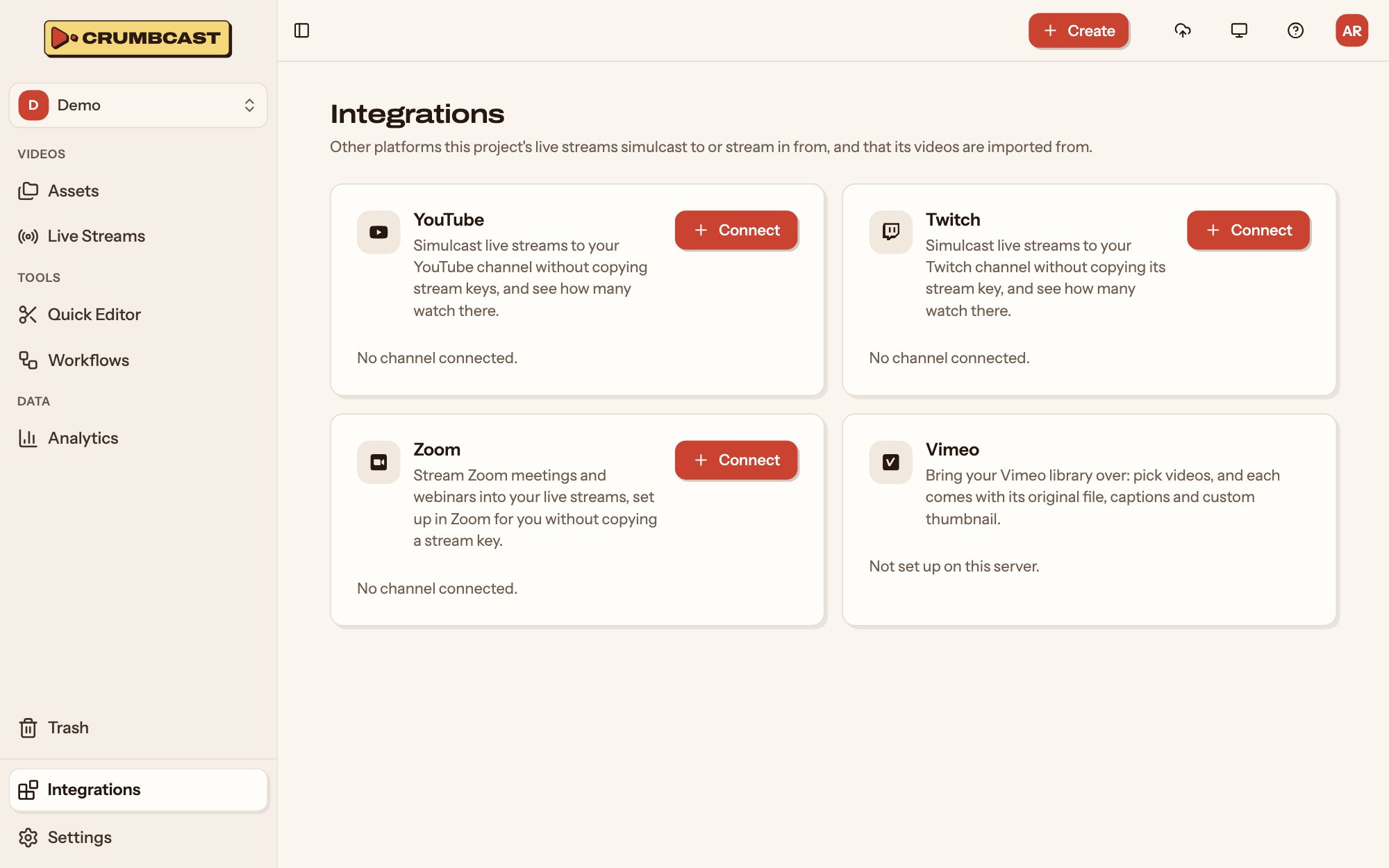
Connect one
Click Connect on it, and sign in to that platform to let Crumbcast in. You come back to the dashboard, where it's listed as connected. Connect another adds a second account or channel.
YouTube and Twitch
A connected channel can be picked as a simulcast destination on any of the project's live streams, without copying its stream key, and its viewers there are counted with yours in the broadcast's analytics.
A connected YouTube channel's videos can also be brought over: Import videos lists its uploads to pick from, and you add each one's file from your Google Takeout export. See Adding videos.
Zoom
A connected Zoom account's meetings and webinars can be streamed into a live stream: Crumbcast sets each up in Zoom with the stream's server and key.
Vimeo
Import videos lists the account's videos to pick from; each comes with its original file, title, description, captions and custom thumbnail. See Adding videos.
Disconnect
Disconnect forgets the account. Live streams sending to a channel keep sending, but its viewers there are no longer counted; videos imported from Vimeo or YouTube stay as they are. You can connect it again any time.