Organising assets
Assets lists the project's videos, folders and playlists. Folders and labels keep a large library in order; search finds anything in it; the trash keeps what you delete for a while, in case you need it back.
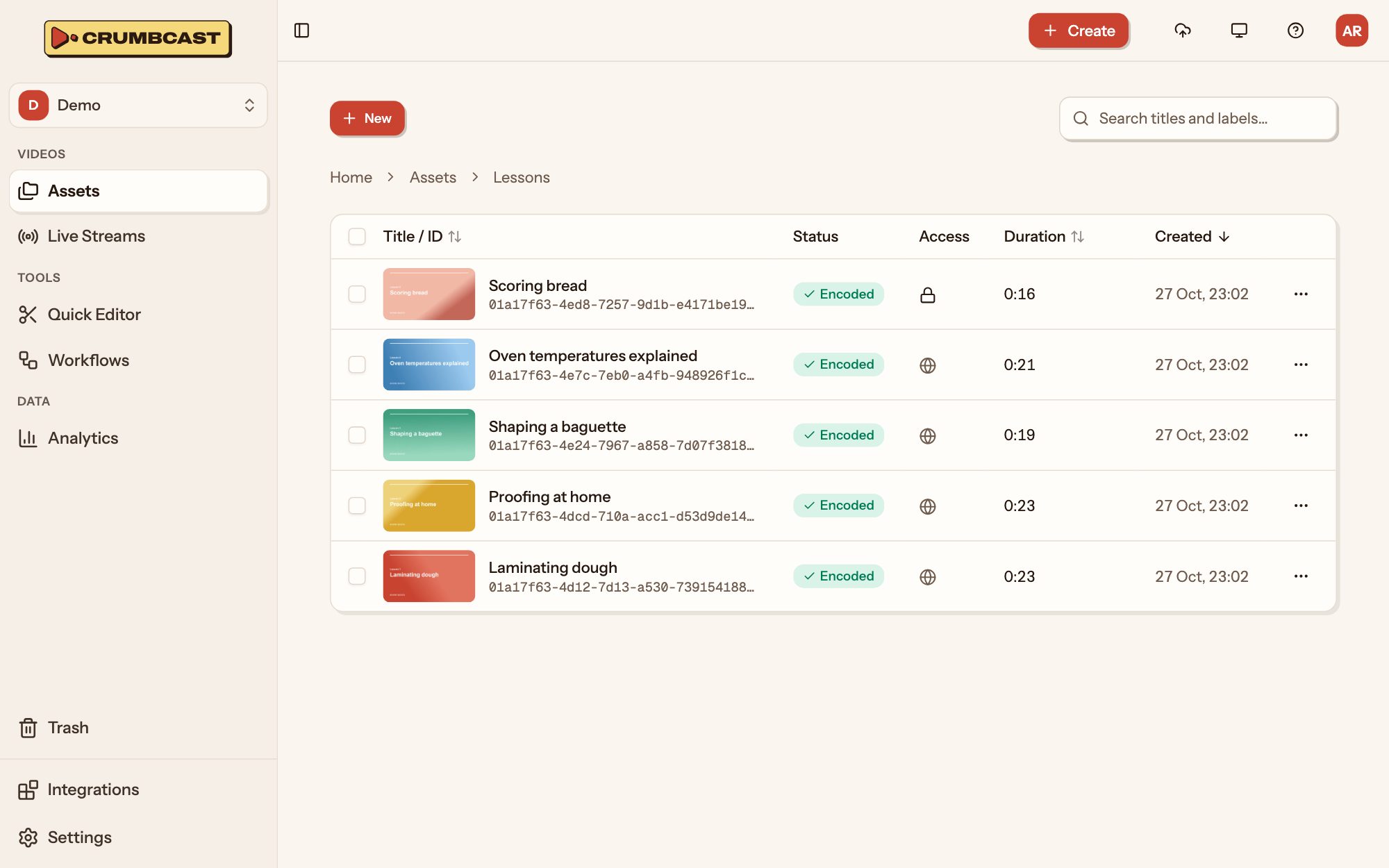
Find an asset
Type in Search titles and labels… at the top of Assets. Search looks in every folder, not only the one you're in. Click a column's heading (Title, Duration, Created) to sort by it.
Each row shows the asset's status (encoding, encoded, failed), who can watch it, its length and when it was made. Its ⋯ menu opens it (Manage), moves it, copies its links or embed code (Share), or deletes it.
Folders
A video is in one folder, or at the top of the project. Folders can hold folders.
- Make one: New → New Folder, give it a name, and a colour if you like.
- Open one: click it. The path at the top takes you back up.
- Rename or recolour it: its ⋯ menu, Edit.
- Delete it: its ⋯ menu, Delete. The folders in it go too, and their assets go to the trash.
New uploads and imports started inside a folder land in it.
Labels
Labels tag videos across folders: a topic, a client, a season. A video can have any number.
- On a video's page, click + beside its labels, then pick one or type a new name and Create it.
- Click a label's × to take it off that video.
Search finds videos by their labels as well as their titles.
Many at once
Tick the box at the start of each row (or the one in the heading, for all), and a bar appears with what can be done to them together:
- Move them to a folder.
- Add label to all of them.
- Delete them.
The trash
Deleting an asset puts it in the Trash, where it waits before it's deleted for good. Meanwhile its links and embeds stop working, and it still counts toward your storage.
- Restore one to bring it back as it was, with its links.
- Delete for good removes it now, with its files and analytics.
- Empty trash deletes everything in it for good.
At the top of the trash, Keep deleted assets sets how long it keeps them: 7, 30 or 90 days, until emptied, or Off, which deletes straight away. Whether you have the trash at all depends on your plan; without it, deleting is for good, and the dashboard asks before it does.