Players
A player sets how your videos look and behave: its colours and corners, its start button, your logo, which controls show, and what happens at the end. Players are a project's, built by its admins in Settings → Players; each video picks one.
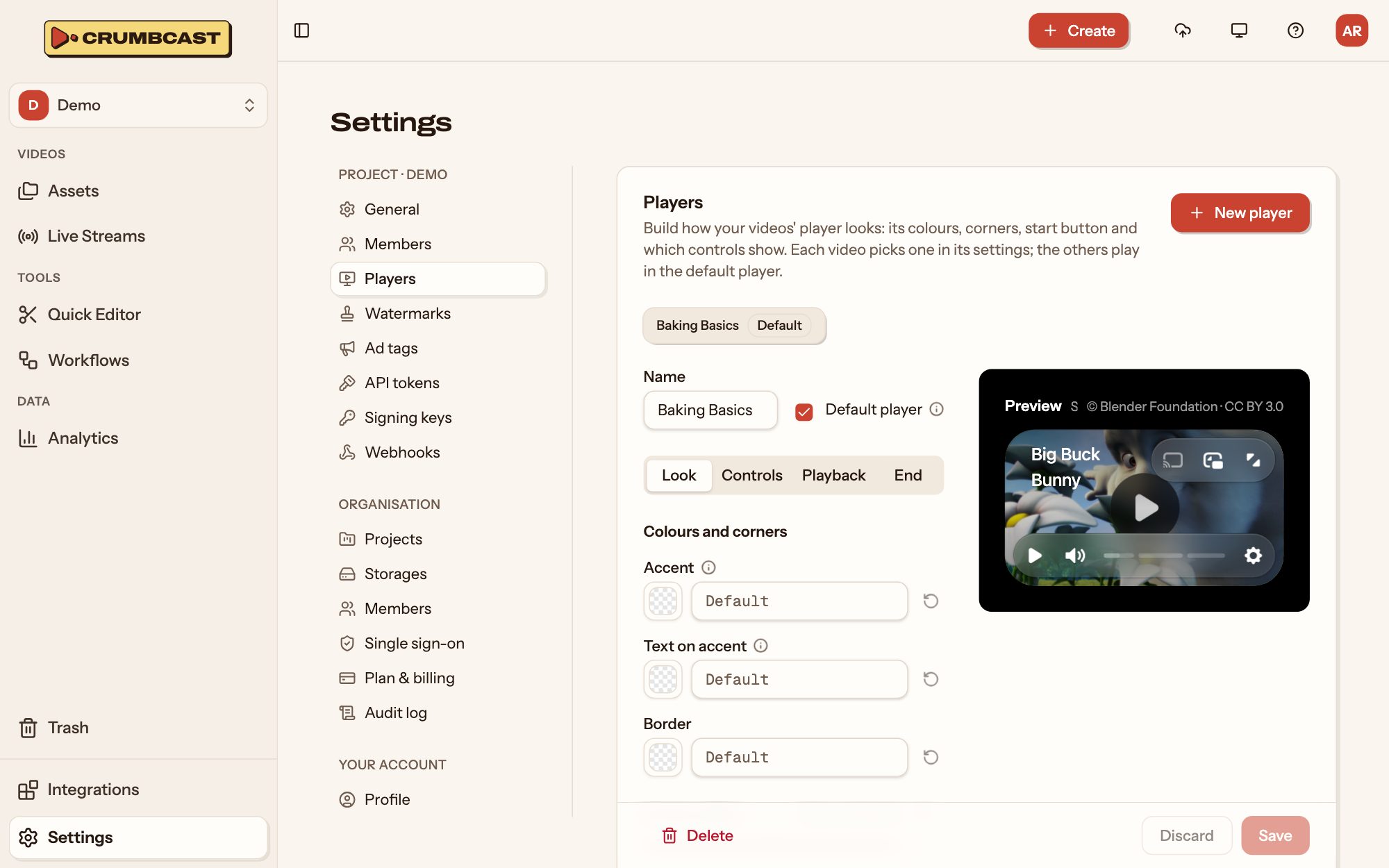
Build one
- In Settings → Players, click New player, and name it.
- Work through its tabs. The preview beside them plays a sample video as you go.
- Click Save (or press Ctrl+S / ⌘S).
Look
- Colours and corners: the Accent (slider fills, highlighted controls and menu items), the Text on accent, the Border, and the Corner radius.
- Control bar: the Bar colour (the bar, its menus and tooltips), the Text on bar, its Shadow (Hard, Soft or None, the start button's too), and Frosted glass, which blurs the video behind a see-through bar.
- Start button: a big play button in the middle until the video first plays, in a colour of your own, or none.
- Logo: a PNG, JPEG or WebP of up to 256 KB, in the bottom-right corner above the controls. Give it a Logo link to open when it's clicked, and Hover text.
Controls: which show (Volume, Timeline, Chapters, Captions, the Settings menu, Picture-in-picture, Chromecast, AirPlay, Fullscreen). Play always shows.
Playback
- What the player loads before anyone presses play: nothing, its length and first frame, or the start of the video.
- The Highest quality videos pick on their own; viewers can still choose any.
- Show captions from the start, in the viewer's language where there are some.
End: when the video ends, show the replay button, play it again, go back to the thumbnail, or show an end screen: a heading, text, up to two link buttons and a "Watch again" button, over the thumbnail, a colour or an image.
The default player
Tick Default player on one, and it plays every video that picked no other. Without a default, videos play in the platform player.
Give a video its player
On a video's Settings tab, pick it under Player. It's how the video looks on its watch page, in embeds, and in the dashboard. A playlist picks a player for all its videos; a workflow can pick one for every new video.
Deleting a player sends its videos back to the default. How many players you can build depends on your plan.