Playlists
A playlist is a set of videos that play one after the other from one link: a course, a series, a showreel. Viewers see what's up next beside the player, and can pick any.
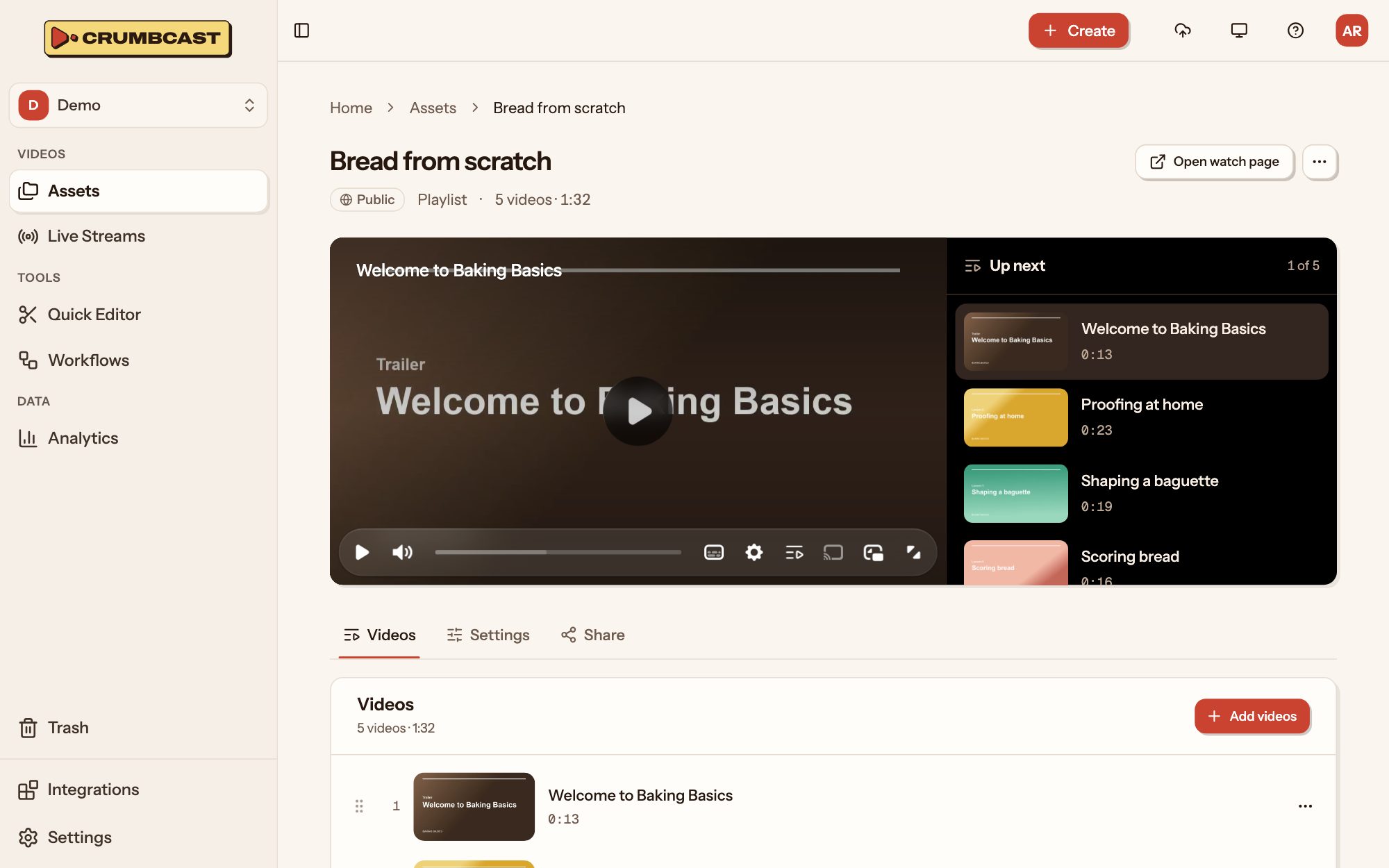
Make one
- In Assets, click New → New playlist, and give it a title.
- On its Videos tab, click Add videos, and pick them. Each goes at the end.
- Drag them into the order they should play, or use a video's ⋯ to move it up or down, or take it out.
Playlists sit in Assets beside your folders and videos. A video can be in any number of playlists; deleting a playlist leaves its videos where they are.
Settings
On its Settings tab: its Title, its Description (shown under the player), its player (all its videos play in it), and who can watch.
Who can watch
- Public: anyone with the link can watch.
- Password: viewers type its password to watch. Its password-protected videos then play for them too.
- Signed: each viewer gets a link of their own, from its Share tab, as for a signed video. It plays all its videos for them, signed ones too.
A video the viewer can't watch is skipped, and its row says why: Members only (a signed video, in a public or password playlist), With password, or Not in embeds (a video that names the sites it may be embedded on).
Share it
Its Share tab has its watch page link, and an embed code that plays its videos one after the other on your site.