Plan and billing
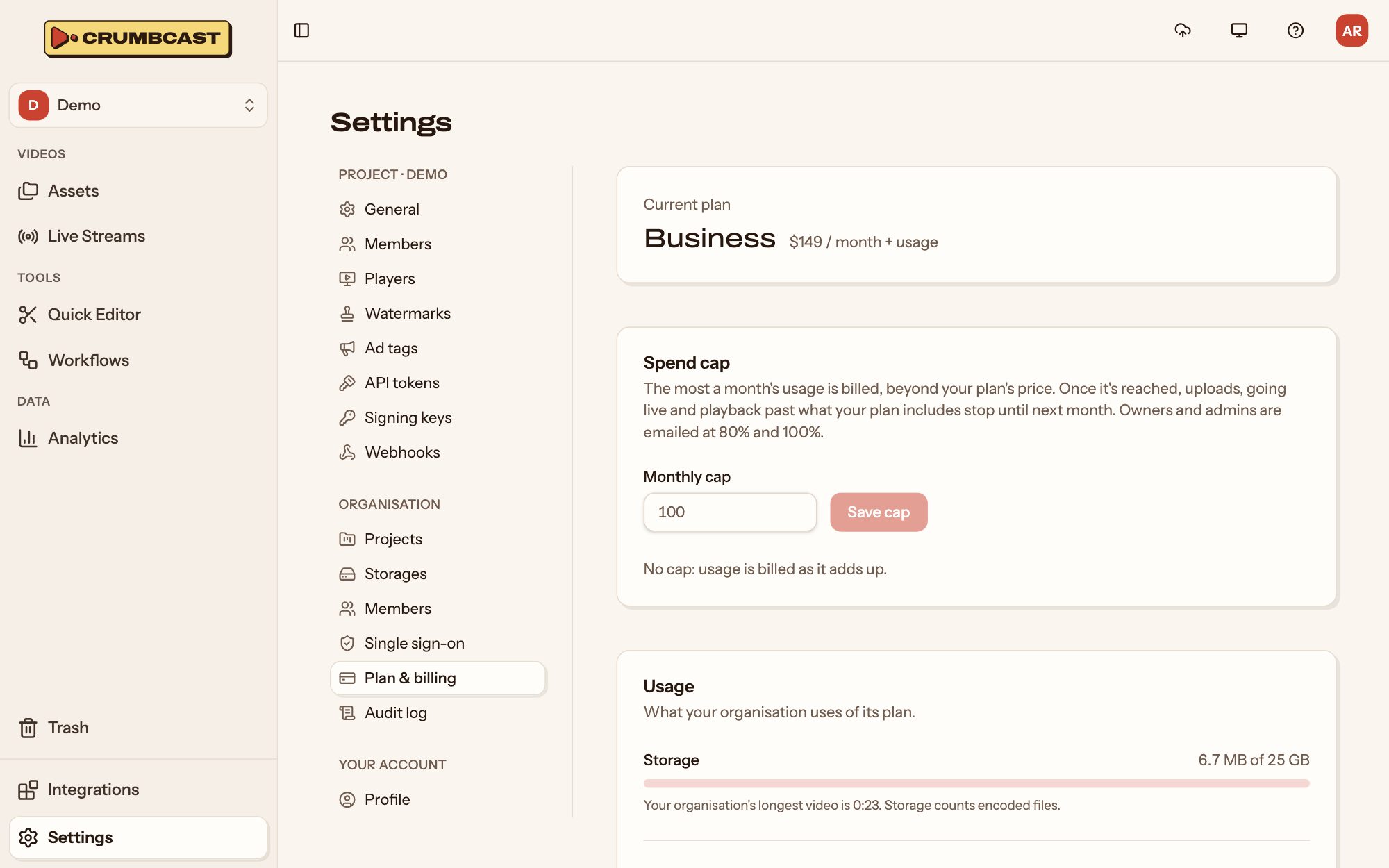
Settings → Organisation → Plan & billing shows the organisation's plan, what it has used, and what that costs so far. Owners and admins change the plan there. Pricing lists the plans and what each includes.
The plans
- Sandbox needs no card, to try everything with: videos are cut to their first 30 seconds, marked with Crumbcast's logo and deleted after 7 days, and live broadcasts end after 15 seconds.
- Free has firm limits and is never billed. At a limit, new uploads stop until next month; what you've published keeps playing for a while longer.
- Pro and Business include some of everything, and bill what you use past it each month. Nothing stops at a limit, unless you set a spend cap.
Where a feature isn't on your plan, the dashboard says which plan has it. While you're on Sandbox or Free, owners and admins also see an Upgrade button at the top.
Change plan
Pick a plan, and pay through Paddle. Moving up starts now, and you pay the difference for the rest of the month. Moving down keeps your plan until the month ends, then moves you; cancelling moves you to Sandbox then. Nothing is deleted either way.
What you've used
Usage shows what the organisation has used of its plan: storage, encoding minutes, delivery, live hours and DRM licences, this period. On Pro and Business, it says what the period's usage past the plan costs so far, charged when the period ends.
The page warns you, and owners and admins are emailed, at 80% and at 100% of a limit.
Spend cap
On Pro and Business, a Spend cap sets the most a month's usage is billed, beyond your plan's price. Once it's reached, uploads, going live and playback past what your plan includes stop until next month, or until you raise it.
How usage counts
- Storage counts stored minutes: each video's length, once for each format it keeps; 1440p, 4K, the Premium bitrate and forensic watermarks count more. A file's size never counts (How storage counts). It's billed on the month's average, while the meter shows what's kept now. On Pro and Business a format counts for at least 30 days after it's encoded, even if it's deleted sooner.
- Encoding is included on Pro and Business in Crumbcast's storage. On Free, and on Business into your own storage, it counts minutes of video encoded; H.265 and AV1, and resolutions above 1080p, count more than once.
- Delivery counts what was served of your videos and live streams, from our CDN's logs; the last few hours may not show yet.
The exact rates are on Pricing.